00:00专注讲解视频的 Agent SKILL
<Doc id="visotalk" license="MIT">
做讲解视频, 从此交给你的 Agent
完全开源的讲解视频制作Agent SKILL,基于字幕驱动的动画引擎,以及一套开箱即用的内置风格。
$
npx skills add visotalk/visotalk -g1export default <Doc id="visotalk-intro" title="Narration is the new timeline" lang="en" poster={236.6} theme="visotalk/dark" canvas="16x9"
2 tokens={{fonts: {sans: '"Inter", "Noto Sans SC", "Noto Sans JP", sans-serif', mono: '"JetBrains Mono", monospace'}}}
3 voice="minimax:English_Explanatory_Man" speed={1.1} exports={{variants: [{preset: "16x9"}], fps: 30, captions: "burned"}}>
4 <Asset id="suosi-avatar" kind="image" src="suosi-avatar.jpg" source="https://avatars.githubusercontent.com/u/264293696" license={{id: "user-owned", obligations: []}} />
5 <Asset id="oldest-cover" kind="image" src="oldest-cover.jpg" source="The Oldest Light (English cover, still --time 411.5)" license={{id: "user-owned", obligations: []}} />
6 {/* A product-film music track, not in the repository (somebody else's track, 4 MB): python3 make-music.py fetches it into audio/music.mp3 (gitignored) */}
7 <Asset id="music" kind="audio" src="audio/music.mp3" source="https://pixabay.com/music/corporate-tutorial-technology-182513/"
8 license={{id: "pixabay-content", attribution: "Tutorial technology by PaulYudin, Pixabay", url: "https://pixabay.com/service/license-summary/", obligations: []}} />
9 <Asset id="say-4" kind="audio" src="say-zh.mp3" source="MiniMax, Chinese (Mandarin)_News_Anchor" license={{id: "user-owned", obligations: []}} />
10 <Asset id="say-3" kind="audio" src="say-ja.mp3" source="MiniMax, Japanese_KindLady" license={{id: "user-owned", obligations: []}} />
11 <Asset id="say-2" kind="audio" src="say-fr.mp3" source="MiniMax, French_Female_News Anchor" license={{id: "user-owned", obligations: []}} />
12 <Asset id="say-1" kind="audio" src="say-de.mp3" source="MiniMax, German_SweetLady" license={{id: "user-owned", obligations: []}} />
13 <Asset id="chime" kind="audio" src="chime.mp3" source="make-music.py (generated beside the film)" license={{id: "user-owned", obligations: []}} />
14 <Asset id="light" kind="audio" src="light.mp3" source="make-music.py (generated beside the film)" license={{id: "user-owned", obligations: []}} />
15 <Asset id="ding" kind="audio" src="ding.mp3" source="make-music.py (generated beside the film)" license={{id: "user-owned", obligations: []}} />
16 <Asset id="tick" kind="audio" src="tick.mp3" source="make-music.py (generated beside the film)" license={{id: "user-owned", obligations: []}} />
17 <Asset id="miss" kind="audio" src="miss.mp3" source="make-music.py (generated beside the film)" license={{id: "user-owned", obligations: []}} />
18 <Asset id="swoosh" kind="audio" src="swoosh.mp3" source="make-music.py (generated beside the film)" license={{id: "user-owned", obligations: []}} />
19 <Asset id="frame-1" kind="image" src="frame-1.jpg" license={{id: "user-owned", obligations: []}} />
20 <Asset id="frame-2" kind="image" src="frame-2.jpg" license={{id: "user-owned", obligations: []}} />
21 <Asset id="frame-3" kind="image" src="frame-3.jpg" license={{id: "user-owned", obligations: []}} />
22 <Asset id="frame-4" kind="image" src="frame-4.jpg" license={{id: "user-owned", obligations: []}} />
23 <Asset id="frame-5" kind="image" src="frame-5.jpg" license={{id: "user-owned", obligations: []}} />
24 <Asset id="frame-6" kind="image" src="frame-6.jpg" license={{id: "user-owned", obligations: []}} />
25 <Asset id="frame-7" kind="image" src="frame-7.jpg" license={{id: "user-owned", obligations: []}} />
26 <Asset id="frame-8" kind="image" src="frame-8.jpg" license={{id: "user-owned", obligations: []}} />
27
28 <Part id="ground" z={-10}><Backdrop /></Part>
29 <Part id="chapter" x={96} y={48} w={900} h={44} z={5}><Chapter /></Part>
30 <Part id="rail"><Rail /></Part>
31 <Part id="badge" x={1584} y={50} w={240} h={52} z={5}>{() => <div style={{opacity: 0.8}}><Lockup width={200} /></div>}</Part>
32
33 <Scene id="problem">
34 <Line id="l1">如今的 AI 智能体很擅长做视频,就像它们做网站一样:写代码来画,再写代码让它动起来。</Line>
35 <Line id="l2">可讲解视频还有声音。画面一旦要跟上旁白,就全乱了。</Line>
36 <Line id="l3">大多数视频工具都建立在时间线上,每个动画都钉在某一秒。</Line>
37 <Line id="l4" hold={1.2}>所以改一句话,后面的每个动画都会慢半拍。</Line>
38 <Part id="coder"><Coder /></Part>
39 <Animation>
40 <Appear target={["ground", "chapter"]} at="start" dur={0} />
41 <Appear target="coder" at="start" dur={0.6} />
42 <Tween target="coder" to={{code: 1}} line="l1" word="智能体" until={{line: "l1", word: "写代码来画", edge: "end"}} easing="linear" />
43 <Tween target="coder" to={{orbit: 1}} line="l1" word="让它动起来" dur={1.2} />
44 <Disappear target="coder" line="l2" word="可讲解视频" dur={0.5} />
45 <Appear target="rail" line="l2" word="可讲解视频" offset={0.5} dur={0} />
46 <Appear target="script-frame" line="l2" word="还有声音" dur={0.5} />
47 <Tween target="rail" to={{type: 1}} line="l2" word="还有声音" dur={1.3} easing="linear" />
48 <Tween target="rail" to={{head: 1}} line="l2" word="一旦" dur={2.52} easing="linear" />
49 {/* the playhead crosses the sentence in a fixed 2.52 s (so this holds in every language); each picture comes in as it passes the picture's word (0.13, 0.43, 0.68, 0.95 of the way) */}
50 <Appear target="pic-moon" line="l2" word="一旦" offset={0.33} dur={0.25} />
51 <Appear target="pic-earth" line="l2" word="一旦" offset={1.07} dur={0.25} />
52 <Appear target="pic-sun" line="l2" word="一旦" offset={1.73} dur={0.25} />
53 <Appear target="pic-half" line="l2" word="一旦" offset={2.38} dur={0.25} />
54 <Disappear target="script-frame" line="l3" word="建立在时间线上" />
55 <Tween target="rail" to={{ruler: 1}} line="l3" word="建立在时间线上" dur={1.1} easing="easeOut" />
56 <Set target="rail" to={{pinned: 1}} line="l3" word="钉在" />
57 <Tween target="rail" to={{thread: 1}} line="l3" word="钉在" dur={0.8} />
58 <Tween target="rail" to={{ins: 1}} line="l4" word="改一句话" dur={0.9} />
59 <Tween target="rail" to={{late: 1}} line="l4" word="慢半拍" dur={0.5} />
60 </Animation>
61 <Sound asset="ding" line="l2" word="一旦" offset={0.33} volume={-13} />
62 <Sound asset="ding" line="l2" word="一旦" offset={1.07} volume={-13} />
63 <Sound asset="ding" line="l2" word="一旦" offset={1.73} volume={-13} />
64 <Sound asset="ding" line="l2" word="一旦" offset={2.38} volume={-13} />
65 <Sound asset="miss" line="l4" word="慢半拍" volume={-12} />
66 </Scene>
67
68 <Scene id="question">
69 <Line id="l5">那讲解视频为什么非要跟着时钟走?它本来就有一条时间线:它的旁白。</Line>
70 <Line id="l6" hold={1.2}>把每幅画面挂在说出它的那个词上,听到什么,就看到什么。</Line>
71 <Part id="hear" x={0} y={850} w={1920} h={140}>{() => (
72 <div style={{textAlign: 'center', fontFamily: SANS, fontWeight: 800, fontSize: 76, letterSpacing: '-0.03em', color: TEXT}}>{useText('hear-a', 'What you hear is what you ')}<span style={{color: CUE}}>{useText('hear-b', 'see')}</span>{useText('hear-c', '.')}</div>
73 )}</Part>
74 <Animation>
75 <Set target="chapter" to={{n: "02", name: "The question"}} at="start" />
76 <Tween target="rail" to={{wave: 1}} line="l5" word="它的旁白" dur={1.2} easing="linear" />
77 <Tween target="rail" to={{marks: 1}} line="l5" word="它的旁白" offset={0.6} dur={0.5} />
78 <Tween target="rail" to={{ruler: 0, late: 0}} line="l6" word="把每幅画面" dur={0.7} />
79 <Tween target="rail" to={{pinned: 0}} line="l6" word="那个词上" dur={1.1} easing="easeInOutBack(1.4)" />
80 <Appear target="hear" line="l6" word="听到什么" dur={0.6} />
81 </Animation>
82 <Sound asset="tick" line="l6" word="那个词上" offset={0.5} volume={-10} />
83 </Scene>
84
85 <Scene id="meet">
86 <Line id="l7" text="This is what VisoTalk was built to solve. It's an agent skill for explainer videos.">这正是 VisoTalk 要解决的问题。它是一个做讲解视频的智能体技能。</Line>
87 <Line id="l8" hold={1.4}>它只有一条规则:讲解,就是新的时间线。</Line>
88 <Part id="intro"><Intro /></Part>
89 <Animation>
90 <Disappear target={["rail", "chapter"]} at="start" dur={0.5} />
91 <Appear target="intro" at="start" dur={0} />
92 <Tween target="intro" to={{draw: 1}} at="start" offset={0.3} dur={2.15} easing="linear" />
93 <Appear target="intro-tag" line="l7" word="智能体技能" dur={0.6} />
94 <Appear target="intro-rule" line="l8" word="讲解" dur={0.6} />
95 </Animation>
96 {/* the music comes in once VisoTalk's rule has been said: 8 dB under the voice, 3 dB further back while it speaks */}
97 <Sound asset="music" line="l8" edge="end" loop volume={-8} duck={3} fadeIn={1.2} fadeOut={4} />
98 <Sound asset="swoosh" at="start" offset={0.3} volume={-12} />
99 <Sound asset="ding" at="start" offset={0.82} volume={-12} />
100 </Scene>
101
102 <Scene id="light">
103 <Line id="l9">看这个太阳。在时间线上,它的光钉在某一秒。</Line>
104 <Line id="l10" hold={2}>要有……</Line>
105 <Line id="l11" hold={1.2}>光!</Line>
106 <Line id="l12">哎呀。停顿挪动了词,光却没动。现在,把光挂在这个词上。</Line>
107 <Line id="l13" hold={2}>要有……</Line>
108 <Line id="l14" hold={0.6}>光!</Line>
109 <Line id="l15" hold={1}>好,这下对了。</Line>
110 <Line id="l16">没有什么在等某一秒或某一帧。每个动画都在等一个词。</Line>
111 <Line id="l17" hold={1}>引擎念出脚本,给每个词计时,再据此解出时间线。</Line>
112 <Part id="clock"><LightClock /></Part>
113 <Part id="gagcode" x={0} y={575} w={1920} h={100}><GagCode /></Part>
114 <Part id="nope" x={0} y={700} w={1920} h={80}>{() => (
115 <div style={{display: 'flex', justifyContent: 'center', gap: 60, fontFamily: MONO, fontSize: 46}}>
116 <Obj id="nope-s" style={{color: MUTED, textDecoration: 'line-through', textDecorationColor: BAD, textDecorationThickness: 4}}>{useText('nope-s', 'at 0:02.4')}</Obj>
117 <Obj id="nope-f" style={{color: MUTED, textDecoration: 'line-through', textDecorationColor: BAD, textDecorationThickness: 4}}>{useText('nope-f', 'frame #72')}</Obj>
118 </div>
119 )}</Part>
120 <Part id="code" x={0} y={790} w={1920} h={90}>{() => (
121 <div style={{display: 'flex', justifyContent: 'center'}}>
122 <CodeLine parts={[['p', '<'], ['tag', 'Appear'], ['attr', ' target'], ['p', '='], ['str', '"moon"'], ['attr', ' line'], ['p', '='], ['str', '"l1"'], ['cue', ` word="${useText('play-anchor', 'Moon')}"`], ['p', ' />']]} />
123 </div>
124 )}</Part>
125 <Animation>
126 <Set target="chapter" to={{n: "03", name: "Hung on words"}} at="start" />
127 <Appear target={["rail", "chapter", "badge"]} at="start" dur={0.6} />
128 <Tween target="rail" to={{wave: 0, marks: 0}} at="start" dur={0.4} />
129 <Tween target="rail" to={{dark: 1}} line="l9" word="看这个太阳" dur={0.8} />
130 <Appear target="clock" line="l9" word="在时间线上" dur={0.5} />
131 <Appear target="gagcode" line="l9" word="钉在某一秒" dur={0} />
132 <Appear target="gag-clock" line="l9" word="钉在某一秒" />
133 <Disappear target="gag-clock" line="l12" word="现在" dur={0.4} />
134 <Appear target="gag-word" line="l12" word="把光挂在这个词上" />
135 <Disappear id="gag-word-out" target="gag-word" line="l16" dur={0.4} />
136 <Disappear target="gagcode" after="gag-word-out" dur={0} />
137 <Tween target="clock" to={{clk: 4.4}} line="l10" dur={4.4} easing="linear" />
138 <Appear target="sunlight" line="l10" offset={1.2} dur={0.25} />
139 <Appear target="early" line="l10" offset={1.45} dur={0.3} />
140 <Disappear target={["sunlight", "early"]} line="l12" word="现在" dur={0.4} />
141 <Set target="clock" to={{clk: 0}} line="l12" word="现在" />
142 <Tween target="clock" to={{hang: 1}} line="l12" word="把光" dur={0.9} easing="easeInOut" />
143 <Tween target="clock" to={{clk: 4.4}} line="l13" dur={4.4} easing="linear" />
144 <Appear target="sunlight" line="l14" word="光" dur={0.25} />
145 <Disappear target="clock" line="l16" dur={0.4} />
146 <Appear target="nope" line="l16" word="某一秒" dur={0} />
147 <Appear target="nope-s" line="l16" word="某一秒" />
148 <Appear target="nope-f" line="l16" word="某一帧" />
149 <Disappear id="nope-out" target={["nope-s", "nope-f"]} line="l16" word="一个词" />
150 <Disappear target="nope" after="nope-out" dur={0} />
151 <Appear target="code" line="l16" word="每个动画" />
152 <Tween target="rail" to={{hl: 1}} line="l16" word="一个词" dur={0.4} />
153 <Disappear target="code" line="l17" word="念出脚本" />
154 <Disappear target="sunlight" line="l17" word="念出脚本" dur={0.6} />
155 <Tween target="rail" to={{dark: 0, hl: 0}} line="l17" word="念出脚本" dur={0.6} />
156 <Tween target="rail" to={{wave: 1}} line="l17" word="念出脚本" dur={1.2} easing="linear" />
157 <Tween target="rail" to={{marks: 1}} line="l17" word="给每个词计时" dur={0.5} />
158 <Tween target="rail" to={{stamps: 1}} line="l17" word="解出时间线" dur={0.6} />
159 </Animation>
160 <Sound asset="light" line="l10" offset={1.2} volume={-6} />
161 <Sound asset="miss" line="l10" offset={1.5} volume={-12} />
162 <Sound asset="light" line="l14" word="光" volume={-6} />
163 </Scene>
164
165 <Scene id="proof">
166 <Line id="l18">这能带来什么?改写一句,画面跟着走。</Line>
167 <Line id="l19">换一个声音,慢一点或快一点,它照样跟上。</Line>
168 <Line id="l20" hold={4.3}>翻译它,每个动画都会落在新的词上。</Line>
169 <Line id="l21" hold={1.6}>一份源文件,所有语言。</Line>
170 <Part id="files" x={0} y={850} w={1920} h={110}><LangFiles /></Part>
171 <Animation>
172 <Set target="chapter" to={{n: "04", name: "What it buys you"}} at="start" />
173 <Tween target="rail" to={{ins2: 1}} line="l18" word="改写一句" dur={0.9} />
174 <Tween target="rail" to={{ok: 1}} line="l18" word="画面跟着走" dur={0.4} />
175 <Tween target="rail" to={{ok: 0}} line="l19" word="换一个声音" dur={0.4} />
176 <Tween target="rail" to={{pace: 1.45}} line="l19" word="慢一点" dur={0.5} />
177 <Set target="rail" to={{spd: "0.75×"}} line="l19" word="慢一点" />
178 <Tween target="rail" to={{pace: 0.7}} line="l19" word="快一点" dur={0.5} />
179 <Set target="rail" to={{spd: "1.25×"}} line="l19" word="快一点" />
180 <Tween target="rail" to={{pace: 1}} line="l19" word="照样跟上" dur={0.6} />
181 <Set target="rail" to={{spd: ""}} line="l19" word="照样跟上" offset={0.6} />
182 <Tween target="rail" to={{langs: 1}} line="l20" word="翻译它" dur={0.5} />
183 <Tween target="rail" to={{lang: 1}} line="l20" edge="end" offset={0.3} dur={0.5} />
184 <Tween target="rail" to={{lang: 2}} line="l20" edge="end" offset={1.3} dur={0.5} />
185 <Tween target="rail" to={{lang: 3}} line="l20" edge="end" offset={2.3} dur={0.5} />
186 <Tween target="rail" to={{lang: 4}} line="l20" edge="end" offset={3.3} dur={0.5} />
187 <Tween target="rail" to={{ok: 1}} line="l20" edge="end" offset={0.8} dur={0.4} />
188 <Appear target="files" line="l21" word="一份源文件" dur={0} />
189 <Appear target="lang-src" line="l21" word="一份源文件" />
190 <Appear target="lang-over" line="l21" word="所有语言" />
191 </Animation>
192 {/* each language's name, said in that language (say-1 … say-4, in the order of rail-others: a native MiniMax voice each, see README), as the sentence switches to it */}
193 <Sound asset="say-1" line="l20" edge="end" offset={0.3} />
194 <Sound asset="say-2" line="l20" edge="end" offset={1.3} />
195 <Sound asset="say-3" line="l20" edge="end" offset={2.3} />
196 <Sound asset="say-4" line="l20" edge="end" offset={3.3} />
197 </Scene>
198
199 <Scene id="document">
200 <Line id="l22" text="A VisoTalk film is one document, written with a handful of tags.">一部 VisoTalk 影片就是一份文档,用几个标签写成。</Line>
201 <Line id="l23">场景里装着台词:也就是声音要说的话。</Line>
202 <Line id="l24">部件可以是任何画面,用普通的 React 画出来。比如这张柱状图。</Line>
203 <Line id="l25">出现,让它在某个词上登场。补间,在另一个词上推动它。设定,改变一个值。消失,把它清走。</Line>
204 <Line id="l26">每一个都写明一句台词和一个词,时间就只有这些。</Line>
205 <Line id="l27" hold={1.2}>而部件可以是任何东西:一个 React 元素、一段视频、音乐、一个音效。每一个都挂在一个词上。</Line>
206 <Part id="doc"><DocTags /></Part>
207 <Part id="kinds"><Kinds /></Part>
208 <Animation>
209 <Set target="chapter" to={{n: "05", name: "The document"}} at="start" />
210 <Disappear target="rail" at="start" dur={0.5} />
211 <Appear target="doc" at="start" offset={0.3} dur={0.5} />
212 <Tween target="doc" to={{type: 1}} line="l22" word="一份文档" until={{line: "l22", edge: "end"}} easing="linear" />
213 <Set target="doc" to={{hl: "scene"}} line="l23" word="场景" />
214 <Set target="doc" to={{hl: "scene,line"}} line="l23" word="装着台词" />
215 <Tween target="doc" to={{say: 1}} line="l23" word="要说的话" until={{line: "l23", edge: "end"}} easing="linear" />
216 <Set target="doc" to={{hl: "part"}} line="l24" word="部件" />
217 <Tween target="doc" to={{ghost: 1}} line="l24" word="普通的" dur={0.6} />
218 <Set target="doc" to={{hl: "appear"}} line="l25" word="出现" />
219 <Tween target="doc" to={{ghost: 0}} line="l25" word="登场" dur={0.3} />
220 <Appear target="v-chart" line="l25" word="登场" dur={0.5} />
221 <Set target="doc" to={{hl: "tween"}} line="l25" word="补间" />
222 <Tween target="doc" to={{grow: 1}} line="l25" word="推动它" dur={0.8} />
223 <Set target="doc" to={{hl: "set"}} line="l25" word="设定" />
224 <Set target="doc" to={{label: "×3"}} line="l25" word="一个值" />
225 <Set target="doc" to={{hl: "disappear"}} line="l25" word="消失" />
226 <Disappear target="v-chart" line="l25" word="清走" dur={0.5} />
227 <Set target="doc" to={{hl: "appear,tween,set,disappear"}} line="l26" word="每一个" />
228 <Tween target="doc" to={{anchors: 1}} line="l26" word="一句台词和一个词" dur={0.6} />
229 <Disappear target="doc" line="l27" dur={0.5} />
230 <Appear target="kinds" line="l27" word="元素" dur={0} />
231 <Appear target="kind-react" line="l27" word="元素" />
232 <Appear target="kind-video" line="l27" word="一段视频" />
233 <Appear target="kind-music" line="l27" word="音乐" />
234 <Appear target="kind-sfx" line="l27" word="一个音效" />
235 </Animation>
236 <Sound asset="ding" line="l25" word="登场" volume={-12} />
237 <Sound asset="swoosh" line="l25" word="推动它" volume={-16} />
238 <Sound asset="tick" line="l25" word="一个值" volume={-11} />
239 <Sound asset="swoosh" line="l25" word="清走" volume={-18} />
240 <Sound asset="ding" line="l27" word="一个音效" offset={0.15} volume={-9} />
241 </Scene>
242
243 <Scene id="long">
244 <Line id="l28">影片一长,这条规则就最要紧。</Line>
245 <Line id="l29">我用这种方式做的第一部长片《一束光的旅行》,长七分钟,分四个乐章,有两种语言。</Line>
246 <Line id="l30">它由一句句台词组成场景,每个动画都在它的词上。改写一句,别的都不动。</Line>
247 <Line id="l31">连音乐都卡得准:每个场景都取整到完整的小节,两种语言都是。</Line>
248 <Line id="l32">里面,十三个场景、三十九句台词,带着两百六十七个动画和音效,每一个都在它的词下面。</Line>
249 <Line id="l33" hold={1.2}>所以就算是长片,它也还是一份智能体能找到路的文档,而不是一条长长的时间线。</Line>
250 <Part id="cover"><Cover /></Part>
251 <Part id="film"><LongFilm /></Part>
252 <Part id="outline"><Outline /></Part>
253 <Animation>
254 <Set target="chapter" to={{n: "06", name: "Long form"}} at="start" />
255 <Appear target="cover" line="l28" word="一长" dur={0.7} />
256 <Disappear target="cover" line="l29" word="七分钟" dur={0.5} />
257 <Appear target="film" line="l29" word="七分钟" dur={0} />
258 <Tween target="film" to={{strip: 1}} line="l29" word="七分钟" dur={1.4} easing="easeInOut" />
259 <Tween target="film" to={{total: 1}} line="l29" word="七分钟" offset={0.8} dur={0.5} />
260 <Tween target="film" to={{mov: 1}} line="l29" word="四个乐章" dur={0.8} />
261 <Tween target="film" to={{zh: 1}} line="l29" word="两种语言" dur={0.8} />
262 <Tween target="film" to={{lines: 1}} line="l30" word="一句句台词" dur={0.8} />
263 <Tween target="film" to={{dots: 1}} line="l30" word="在它的词上" dur={0.6} />
264 <Tween target="film" to={{zoom: 1}} line="l30" word="在它的词上" dur={0.6} />
265 <Tween target="film" to={{grow: 1}} line="l30" word="改写一句" dur={1.0} />
266 <Tween target="film" to={{calm: 1}} line="l30" word="别的都不动" dur={0.6} />
267 <Tween target="film" to={{calm: 0, zoom: 0}} line="l31" word="音乐" dur={0.4} />
268 <Tween target="film" to={{bars: 1}} line="l31" word="音乐" dur={0.8} />
269 <Tween target="film" to={{snap: 1}} line="l31" word="完整的小节" dur={0.6} />
270 <Tween target="film" to={{both: 1}} line="l31" word="两种语言都是" dur={0.6} />
271 <Disappear target="film" line="l32" dur={0.5} />
272 <Appear target="outline" line="l32" offset={0.3} dur={0} />
273 <Tween target="outline" to={{rows: 1}} line="l32" word="十三个场景" dur={1.4} easing="linear" />
274 <Tween target="outline" to={{open: 1}} line="l32" word="每一个都在它的词下面" dur={1.2} />
275 </Animation>
276 </Scene>
277
278 <Scene id="workflow">
279 <Line id="l34" text="VisoTalk covers the whole workflow of making an explainer, not just the rendering.">VisoTalk 覆盖制作讲解视频的整个流程,不只是渲染。</Line>
280 <Line id="l35">你的智能体写脚本和场景。声音被念出来并计时。它会看自己的画面,检查器会标出相互碰撞、或一闪而过的文字。</Line>
281 <Line id="l36">说明字幕、外语字幕和其他语言,都来自同一批台词。</Line>
282 <Line id="l37">而且它原生地在网页上播放。不是视频文件,而是影片本身,活在页面里。暂停,跳到任意一句,读它的源码。</Line>
283 <Line id="l38" hold={0.6}>当然,它也能渲染成视频文件。</Line>
284 <Part id="flow"><Flow /></Part>
285 <Part id="cards"><FlowCards /></Part>
286 <Part id="web"><WebPlayer /></Part>
287 <Part id="mp4"><Mp4 /></Part>
288 <Animation>
289 <Set target="chapter" to={{n: "07", name: "The whole workflow"}} at="start" />
290 <Appear target="flow" line="l34" dur={0} />
291 <Appear target="cards" line="l35" word="你的智能体" dur={0} />
292 <Tween target="flow" to={{draw: 1}} line="l34" until={{line: "l34", word: "整个流程", edge: "end"}} easing="easeInOut" />
293 <Set target="flow" to={{step: 1}} line="l35" word="你的智能体" />
294 <Appear target="card-script" line="l35" word="你的智能体" />
295 <Set target="flow" to={{step: 2}} line="l35" word="声音" />
296 <Disappear target="card-script" line="l35" word="声音" />
297 <Appear target="card-voice" line="l35" word="声音" />
298 <Set target="flow" to={{step: 3}} line="l35" word="它会看" />
299 <Disappear target="card-voice" line="l35" word="它会看" />
300 <Appear target="card-frames" line="l35" word="它会看" />
301 <Set target="flow" to={{step: 4}} line="l35" word="标出" />
302 <Disappear target="card-frames" line="l35" word="标出" />
303 <Appear target="card-checks" line="l35" word="标出" />
304 <Tween target="cards" to={{issues: 1}} line="l35" word="相互碰撞" dur={0.3} />
305 <Tween target="cards" to={{flash: 1}} line="l35" word="一闪而过" dur={0.3} />
306 <Set target="flow" to={{step: 5}} line="l36" word="说明字幕" />
307 <Disappear target="card-checks" line="l36" word="说明字幕" />
308 <Appear target="card-captions" line="l36" word="说明字幕" />
309 <Appear target="out-caption" line="l36" word="说明字幕" offset={0.2} />
310 <Appear target="out-srt" line="l36" word="外语字幕" />
311 <Appear target="out-zh" line="l36" word="其他语言" />
312 <Set target="flow" to={{step: 6}} line="l37" word="原生地" />
313 <Disappear target={["cards", "flow"]} line="l37" word="在网页上播放" />
314 <Appear target="web" line="l37" word="在网页上播放" />
315 <Tween target="web" to={{pt: 4.4}} line="l37" word="在网页上播放" until={{line: "l37", word: "暂停"}} easing="linear" />
316 <Set target="web" to={{pt: 6.05}} line="l37" word="跳到任意一句" />
317 <Tween target="web" to={{pt: 8.9}} line="l37" word="跳到任意一句" offset={0.05} until={{line: "l37", edge: "end"}} easing="linear" />
318 <Tween target="web" to={{nofile: 1}} line="l37" word="不是视频文件" dur={0.4} />
319 <Tween target="web" to={{live: 1}} line="l37" word="活在页面里" dur={0.4} />
320 <Tween target="web" to={{pause: 1}} line="l37" word="暂停" dur={0.3} />
321 <Tween target="web" to={{pause: 0}} line="l37" word="跳到任意一句" dur={0.3} />
322 <Tween target="web" to={{jump: 1}} line="l37" word="跳到任意一句" dur={0.4} />
323 <Tween target="web" to={{src: 1}} line="l37" word="读它的源码" dur={0.4} />
324 <Disappear target="web" line="l38" dur={0.3} />
325 <Appear target="mp4" line="l38" offset={0.2} dur={0.4} />
326 <Tween target="mp4" to={{frames: 1}} line="l38" word="视频文件" dur={1} easing="linear" />
327 </Animation>
328 <Sound asset="chime" line="l35" word="你的智能体" volume={-12} />
329 <Sound asset="chime" line="l35" word="声音" volume={-12} />
330 <Sound asset="chime" line="l35" word="它会看" volume={-12} />
331 <Sound asset="chime" line="l35" word="标出" volume={-12} />
332 <Sound asset="chime" line="l36" word="说明字幕" volume={-12} />
333 <Sound asset="chime" line="l37" word="原生地" volume={-12} />
334 </Scene>
335
336 <Scene id="close">
337 <Line id="l39">这部影片也是这样做的。你刚才听到的每个词,都在屏幕上触发了点什么。</Line>
338 <Line id="l40" text="VisoTalk is open source. One command adds the skill to your agent.">VisoTalk 是开源的。一条命令,就能把这个技能装进你的智能体。</Line>
339 <Line id="l41" hold={5}>讲解,就是新的时间线。</Line>
340 <Part id="echo"><Echo /></Part>
341 <Part id="cmd"><Command /></Part>
342 <Part id="end"><EndCard /></Part>
343 <Animation>
344 <Set target="chapter" to={{n: "08", name: "Made with VisoTalk"}} at="start" />
345 <Appear target="echo" line="l39" />
346 <Tween target="echo" to={{threads: 1}} line="l39" word="每个词" until={{line: "l39", edge: "end"}} easing="linear" />
347 <Disappear target="echo" line="l40" word="开源" />
348 <Appear target="cmd" line="l40" word="一条命令" />
349 <Tween target="cmd" to={{chars: 1}} line="l40" word="装进" dur={1.4} easing="linear" />
350 <Disappear target={["cmd", "chapter", "badge"]} line="l41" dur={0.4} />
351 <Appear target="end" line="l41" dur={0} />
352 <Tween target="end" to={{draw: 1}} line="l41" dur={2.15} easing="linear" />
353 <Appear target="end-title" line="l41" word="新的时间线" dur={0.8} />
354 <Appear target="end-tag" line="l41" edge="end" offset={1.2} dur={0.8} />
355 </Animation>
356 <Sound asset="swoosh" line="l41" volume={-12} />
357 <Sound asset="ding" line="l41" offset={0.52} volume={-12} />
358 </Scene>
359</Doc>;
360
00:12
00:30
<Scene id="examples">
00:30示例
真实的视频,由智能体制作。实时播放,而不是一个文件。
暂停任意一部,跳到任意一句,查看它的源码。这个页面里没有视频文件:只有源码,和播放它的引擎。
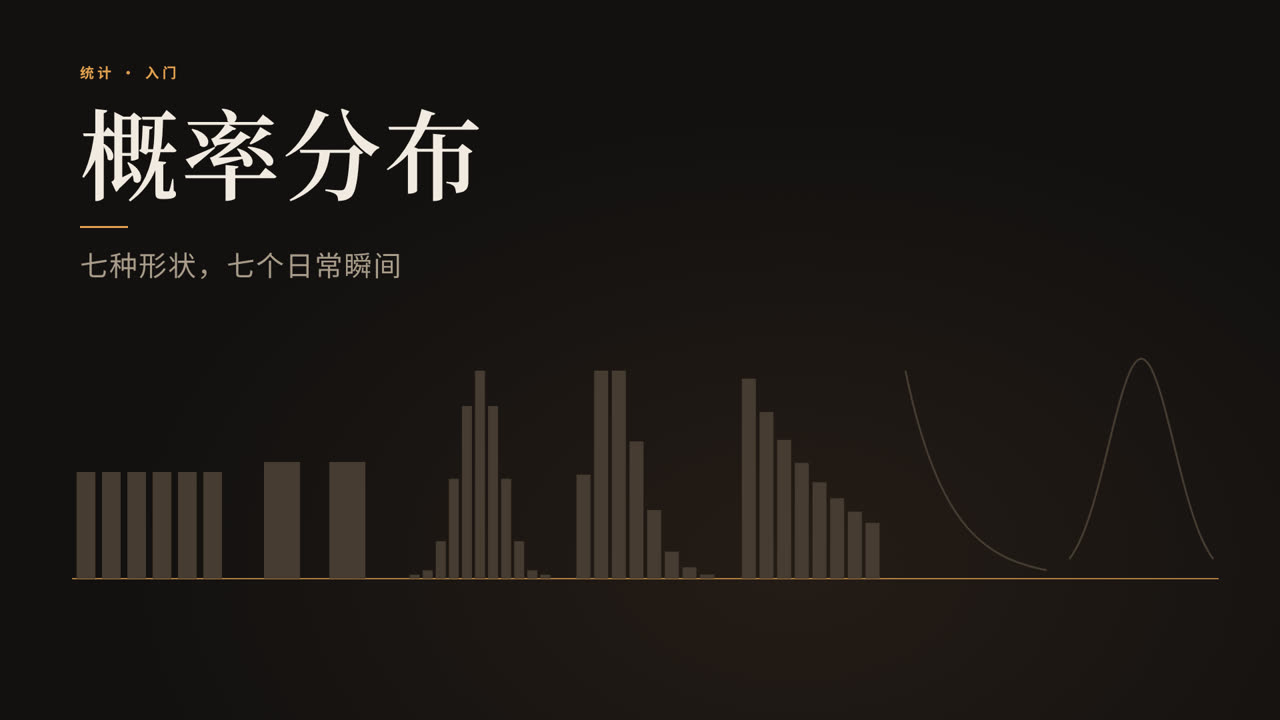 4:03开源 skill 一次生成
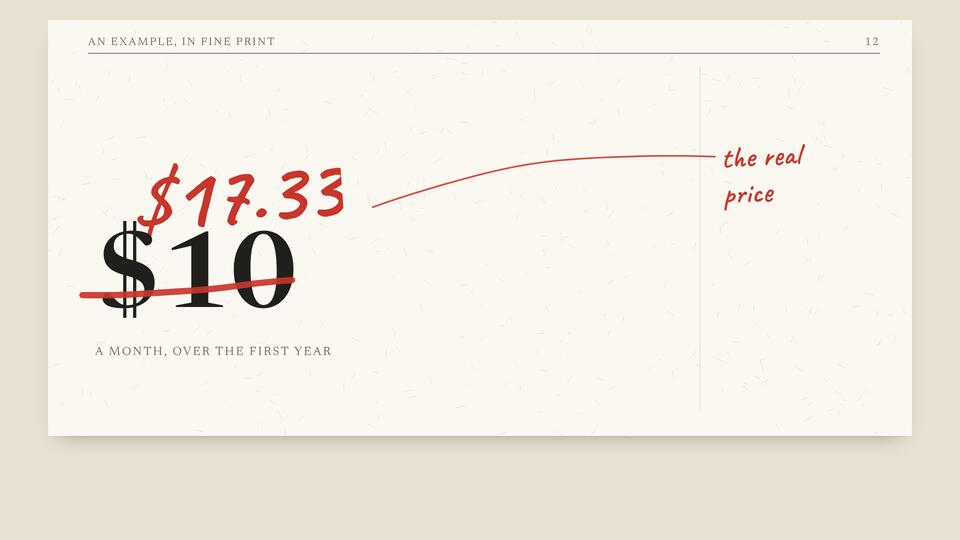
01 · 一次生成
概率分布:七种形状
用普通话讲七种概率分布,每一种都连到日常生活里的一件事。
 2:52
02 · 幻灯片变课程
一片叶子怎样制造食物
一份七页的中文光合作用幻灯片,做成了一堂中文课,有自己的图片、配色和衬线字体。
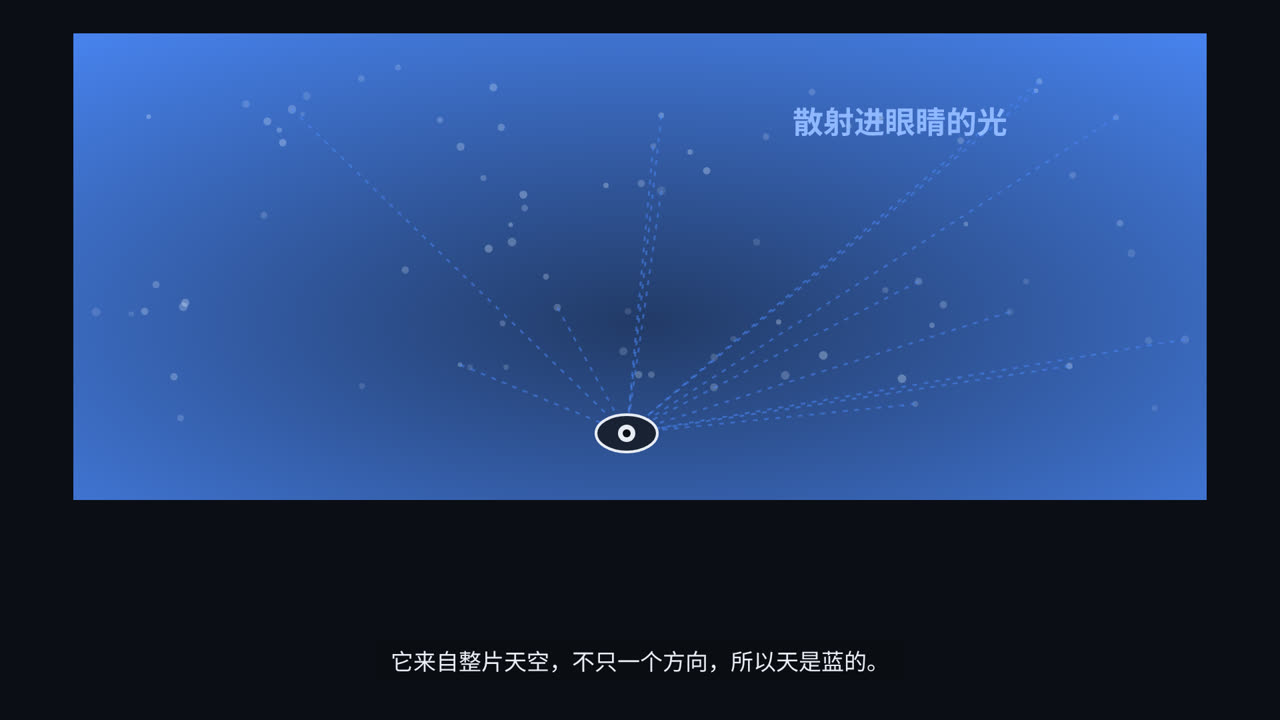 2:04
03 · 概念讲解
天空为什么是蓝的,日落为什么是红的
用中文讲解白天的蓝天与红色的日落,以中文概念模板独立制作。
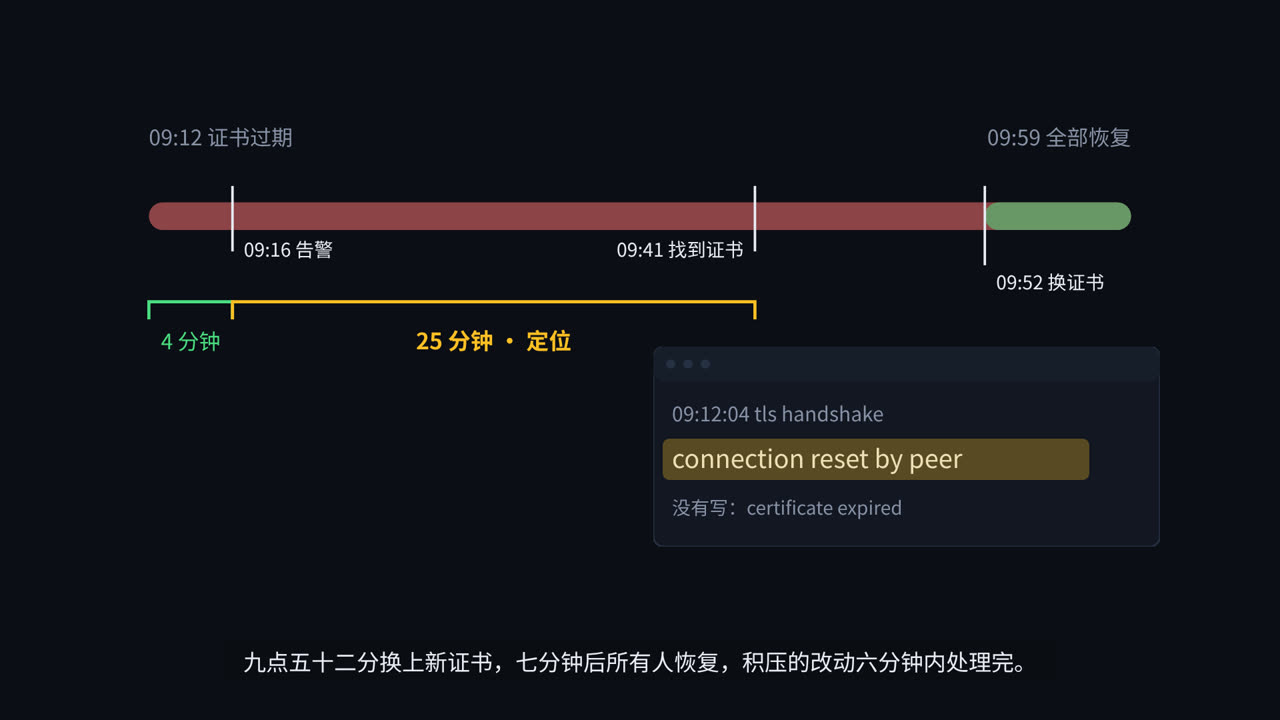 1:57
04 · 文档讲解
笔记同步中断四十七分钟:给新同事的复盘
同一份事故复盘,用中文写成,再由它做成中文影片:并非英文版的翻译。
 1:06
05 · 产品介绍
拾记:随手记,找得到
一款虚构笔记应用的中文介绍:记下想法、加上标签,再把它找回来。
 1:00
06 · 故事 · 普通话
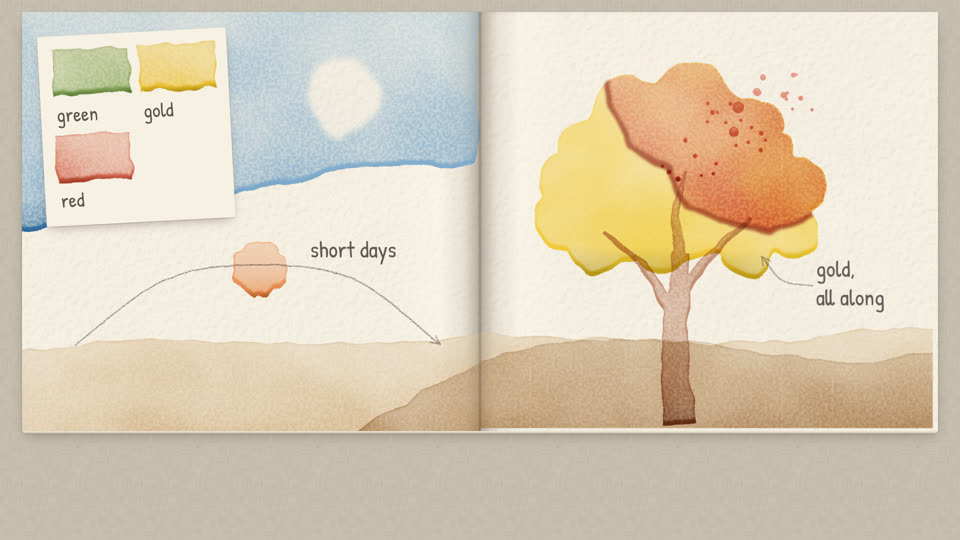
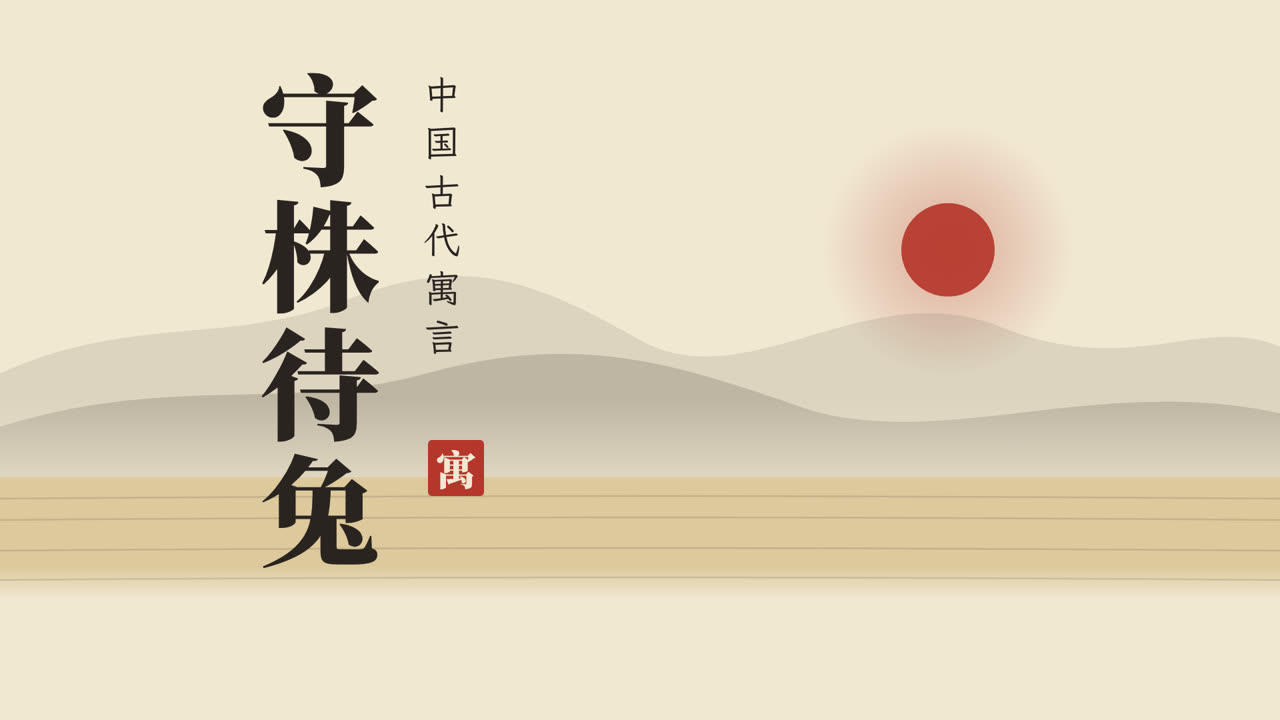
守株待兔
守株待兔的寓言,以绘本形式讲述:太阳划过天空,数过三十天,庄稼渐渐枯萎。
00:48
<Scene id="what">
一份文档:任意语言,任意声音,任意画面。
VisoTalk 里没有什么在等某一秒或某一帧,每个动画都在等一个词。所以不管旁白怎么变,画面都跟着它走:改写、重新配音、翻译,或者换成你自己对着镜头讲。
The
full
Moon
appears
La
pleine
Lune
apparaît
Moon 出现在 0:01.2
加了一个词 · 在 0:01.7
换成法语 · 在 0:01.5
改动词语,时间随之而动
每个动画都锚定在一个词上。加一个词、换一种声音,或发布另一种语言,每个动画都会重新落在它的词上。
sales tripled this year
你自己的声音或录像
带上一段配音、一段录屏,或者你自己出镜的视频。VisoTalk 会给你说的每个词计时,把图形挂在这些词上,并避开你的脸;剪辑、停顿和音乐都保持原样。
旁白›词语时间›锚点›时钟›你的 React›帧
部件可以是任何东西
用 CSS、SVG、数据和循环画出的 React 元素,一个 3D 场景,一段视频片段,音乐,一个音效:每一样都挂在一个词上。一幅画面可以跨越多句延续下去,而不必重画。
在网页上播放,也能渲染成 MP4
播放器和导出的文件运行在同一个引擎上。分享一个链接,或者交付一个视频。
01:06
<Scene id="agent">
说一次就好。智能体在渲染前会先看一遍。
VisoTalk 覆盖讲解视频的整个流程,而不只是渲染:脚本、配音、画面、检查、字幕,然后播放或渲染。一部好几分钟的影片仍是一份文档,智能体能在其中找到方向,而不是一条长长的时间线。
智能体会话· 节选● 录制中
$ npx skills add visotalk/visotalk -g
✓ Agent SKILL 已添加到 Claude Code、Codex
› 用红笔批注风格做一个 30 秒的讲解视频
init8 句台词,旁白准备中
validatedoc.tsx ✓ 有效
sheet每句台词一帧
still场景 1,1920×1080
qa采样帧 0 个问题
render▸ final.mp4
01
安装 Agent SKILL
一条命令就能把它加到 Claude Code、Codex 和其他智能体中。首次运行会装好 Chrome、旁白语音和计时模型:约 1 GB,每个下载都经过校验。
02
要一个视频
智能体先设计整部影片,再写脚本和各个场景。语音被朗读并逐词计时;智能体会查看自己画出的帧,qa 会标出互相碰撞、被字幕挡住或一闪而过的文字。字幕和其他语言都来自同一批台词。
03
播放,或渲染
它原生在网页上播放:就是影片本身,实时在页面里,可以暂停、跳到任意一句、查看源码。当然,它也能渲染成同样的 MP4。一切都在你的电脑上运行。
01:30